 TurfHub
Demo
What your admin, staff, and partners actually see.
Walk through each role's dashboard, plus the CRM, loyalty, and asset screens underneath — see how a booking, a handover, or a payout actually plays out.
Every screen below is the exact dashboard your team logs into — nothing staged.
Admin
Every booking, ground, and cash handover across the operation — approvals, anomaly flags, and underbooked slots surfaced in one view.
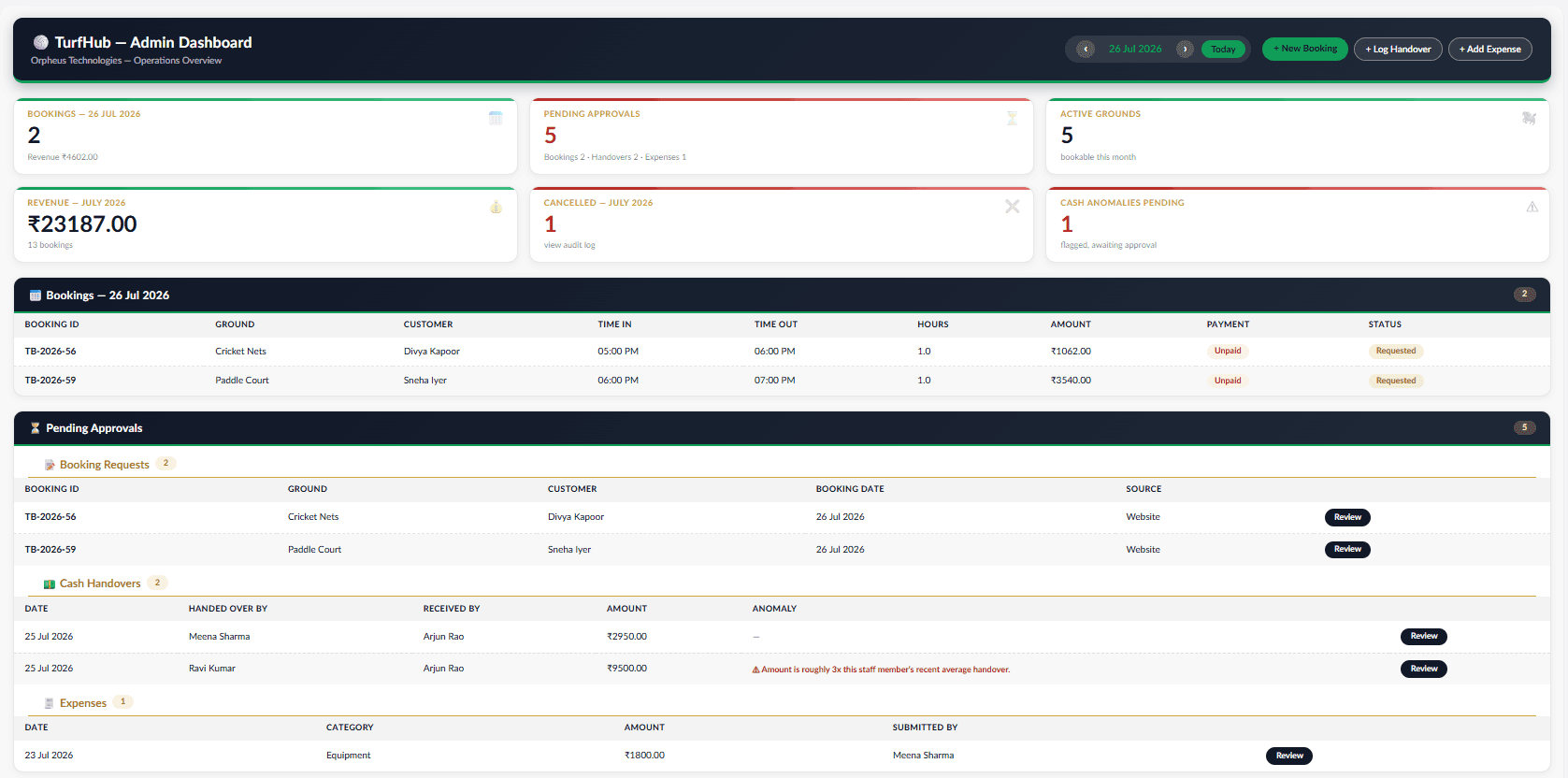
Admin dashboard overview
The admin's single view of the whole operation — every booking, every ground, and every cash handover waiting on a decision.
- Cash handovers sit in a review queue with anomaly flags on amounts that drift from a staff member's usual pattern
- Ground occupancy is visible at a glance, so an underbooked slot gets noticed same-day, not end-of-month
- Nothing here auto-approves — flags are advisory, an admin makes the call
Staff
The day-to-day view front-desk staff live in — today's slots, walk-in booking, and the handover log they submit at shift end.
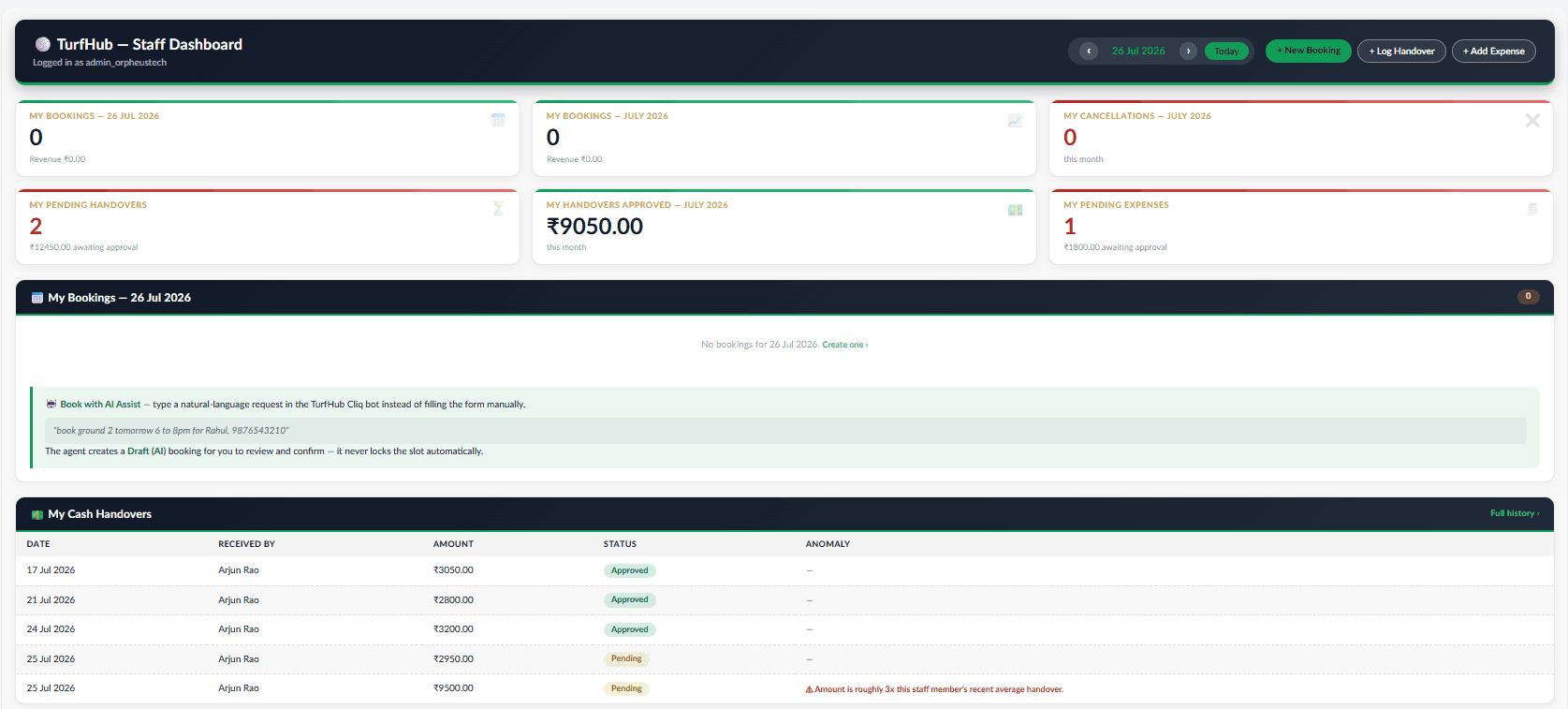
Staff dashboard
The front-desk view — built for someone booking a walk-in customer between two phone calls, not reading a manual.
- Today's slots across every ground, colour-coded, so a free hour is spotted without cross-checking a spreadsheet
- A customer's WhatsApp message can be pasted in and TurfHub drafts the booking — staff still confirms it
- The shift-end cash handover is logged from this same screen, no separate form to hunt for
Partner
Revenue share, payout history, and ground performance — without touching the operational side.
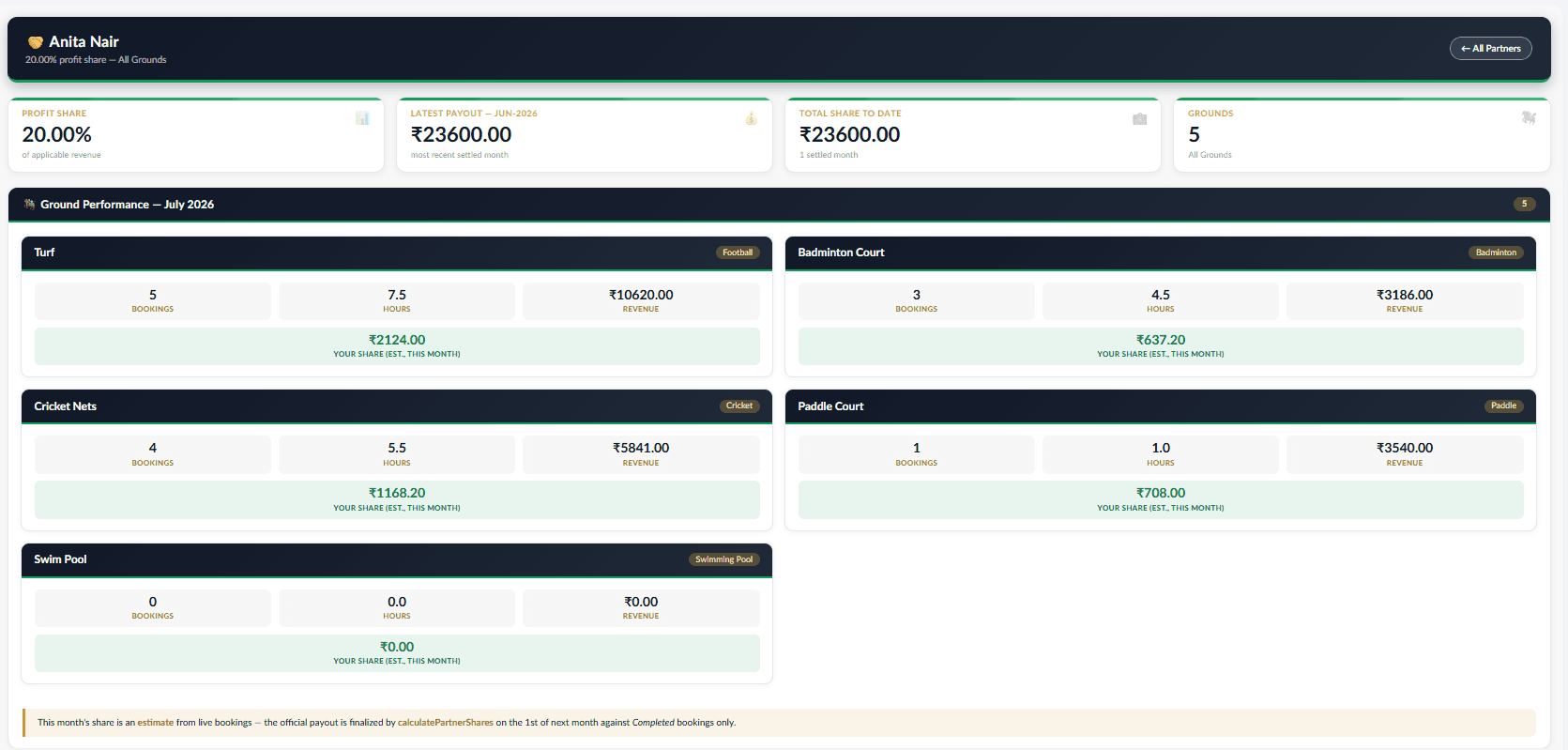
Partner profit-share dashboard
What a ground-owning partner sees — their revenue share and payout history, with none of the day-to-day booking clutter.
- Profit-share splits run automatically every month by each partner's agreed percentage — no manual math, no disputes
- Payout history is a running record, not a monthly PDF someone has to remember to send
- Ground performance is visible without giving a partner access to operational controls
CRM
Customer 360, lead pipeline, and interaction history — nothing about a customer scattered across staff memory.
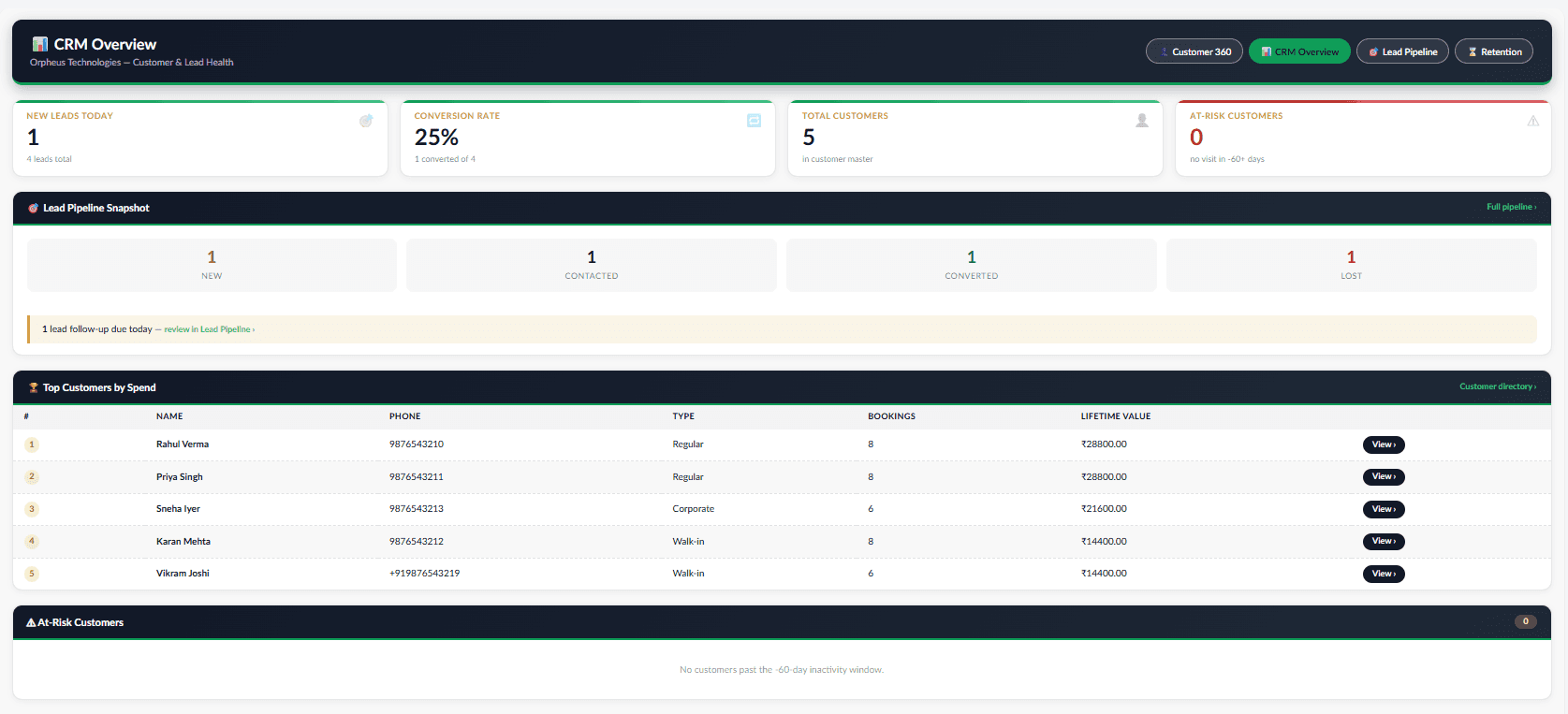
CRM overview dashboard
The pipeline health check — where enquiries are stuck, which customers are at risk, and what's converting.
- Lead volume and conversion sit next to retention signals in one place, not three different reports
- Built on the same customer record used everywhere else in the app — nothing re-entered
- Meant for a weekly check, not a page someone stares at all day
Loyalty
Points earned per booking and tier progress through Bronze, Silver, and Gold — rates configured by the admin, never hardcoded.
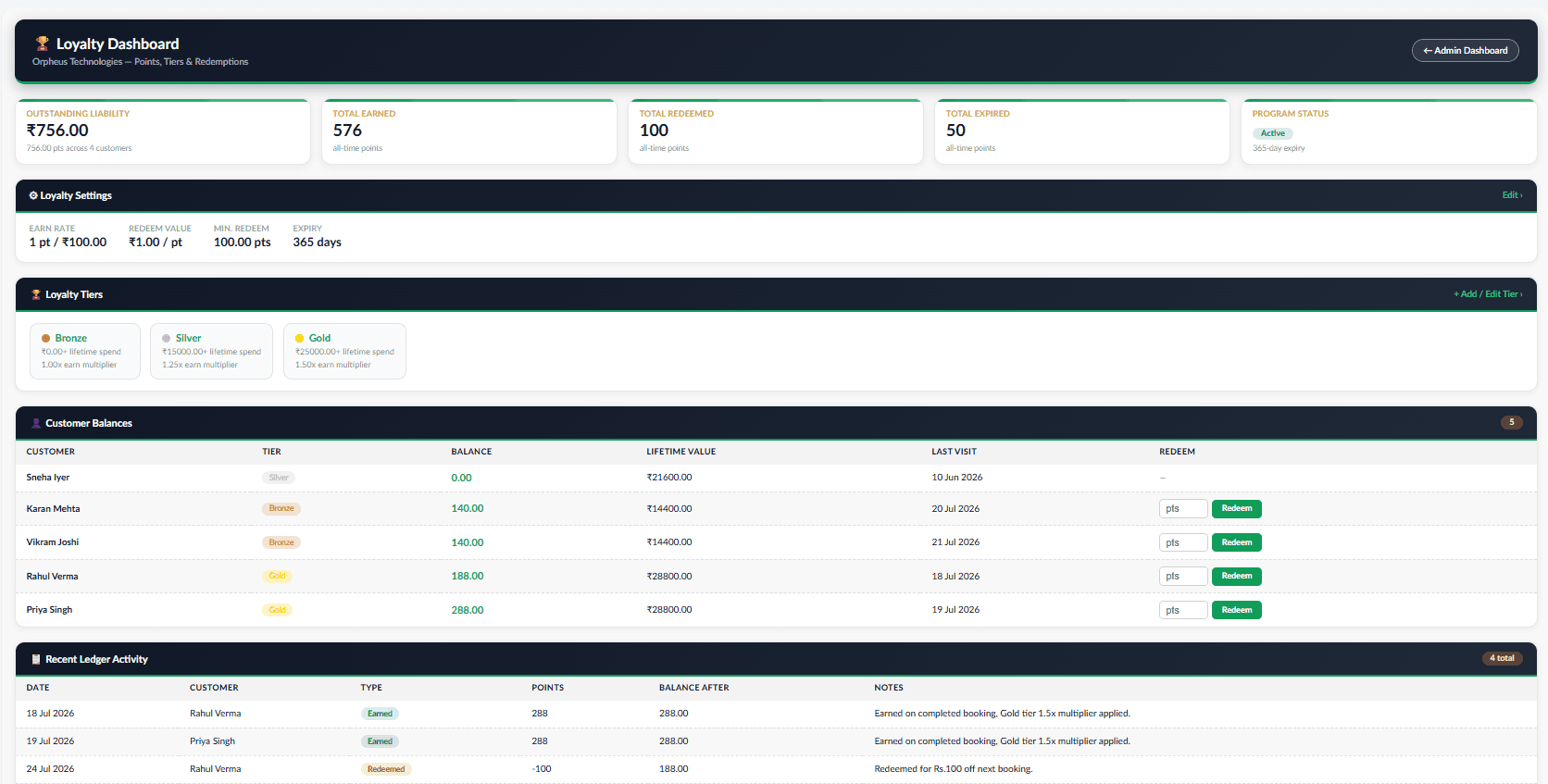
Loyalty points dashboard
Points and tiers, configured by the admin — not a hardcoded rule buried in code.
- Earn rate, redeem rate, and expiry are all set in Loyalty Settings, one record, no code changes needed
- Customers move through Bronze, Silver, and Gold by lifetime spend, with an earn multiplier per tier
- Every point movement — earned, redeemed, expired, adjusted — is a ledger entry, fully auditable
Asset Management
Ground infrastructure tracked by condition and maintenance schedule — a clear trail from damage report to fix.
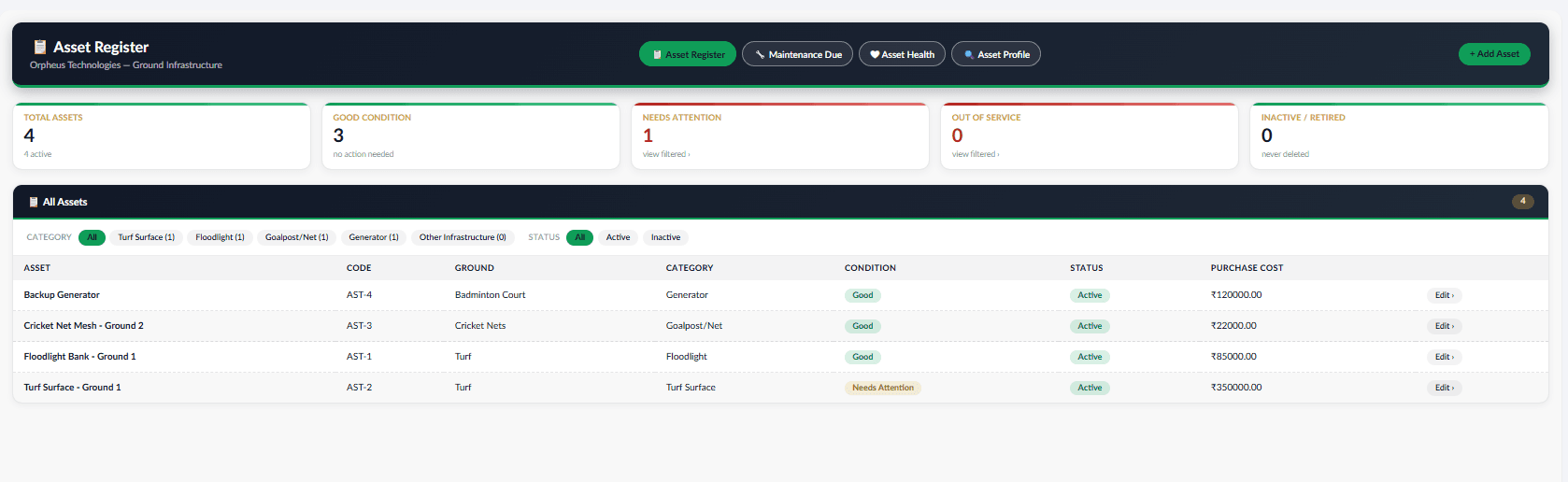
Asset register
Every piece of ground infrastructure that can break — nets, floodlights, turf itself — tracked against the ground it belongs to.
- Condition and purchase cost recorded per asset, not lost in a maintenance guy's notebook
- Each ground rolls up its own active-asset and pending-maintenance counts
- The register is the source of truth an issue report or maintenance log points back to
Pricing
Peak-hour rate configuration and the reporting that shows it working.
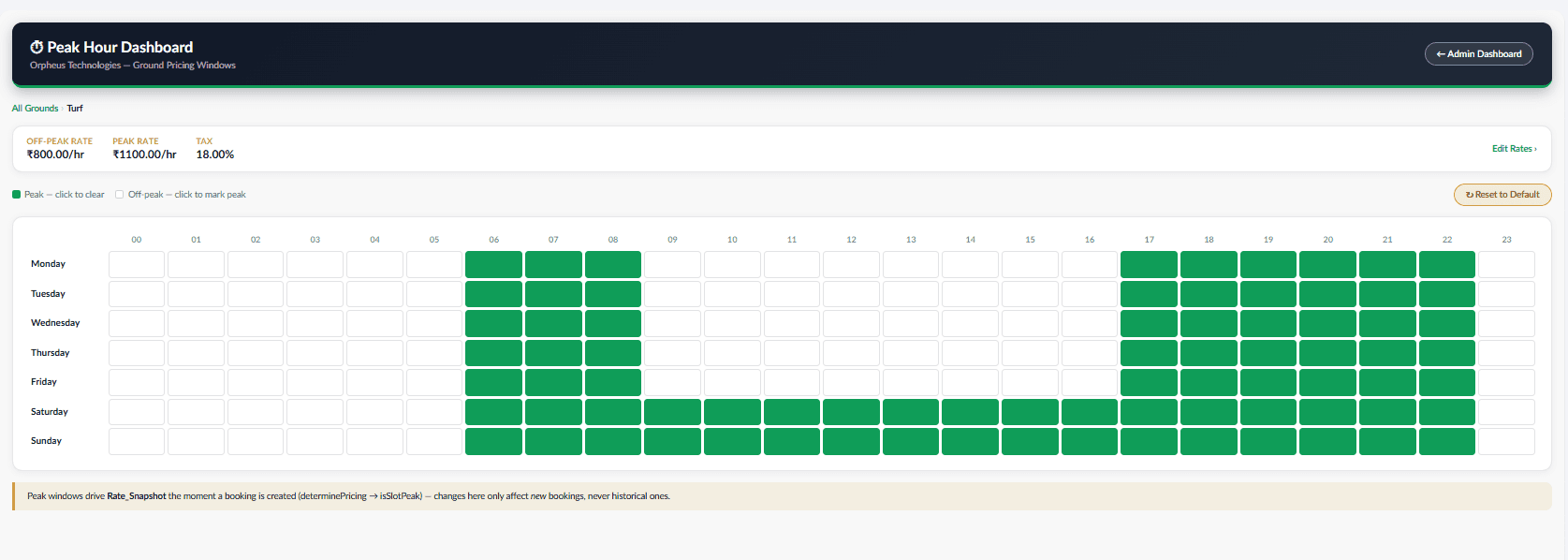
Peak hour pricing configuration
Where an admin sets peak and off-peak rates per ground — the only place rates change.
- A rate change here never rewrites a past booking — pricing is frozen onto the booking the moment it's made
- Peak windows are configured per ground, since a 7pm slot doesn't mean the same thing at every location
- AI demand forecasts recommend adjustments here — they never write live rates on their own
Prefer to see it live?
Book a walkthrough and we'll run it on your own grounds and pricing.